Entries that fit your event
Set disciplines, age groups, eligible events and selection limits. Accept public athlete entries or use a team-managed registration workflow.
Championship management · Live on the web
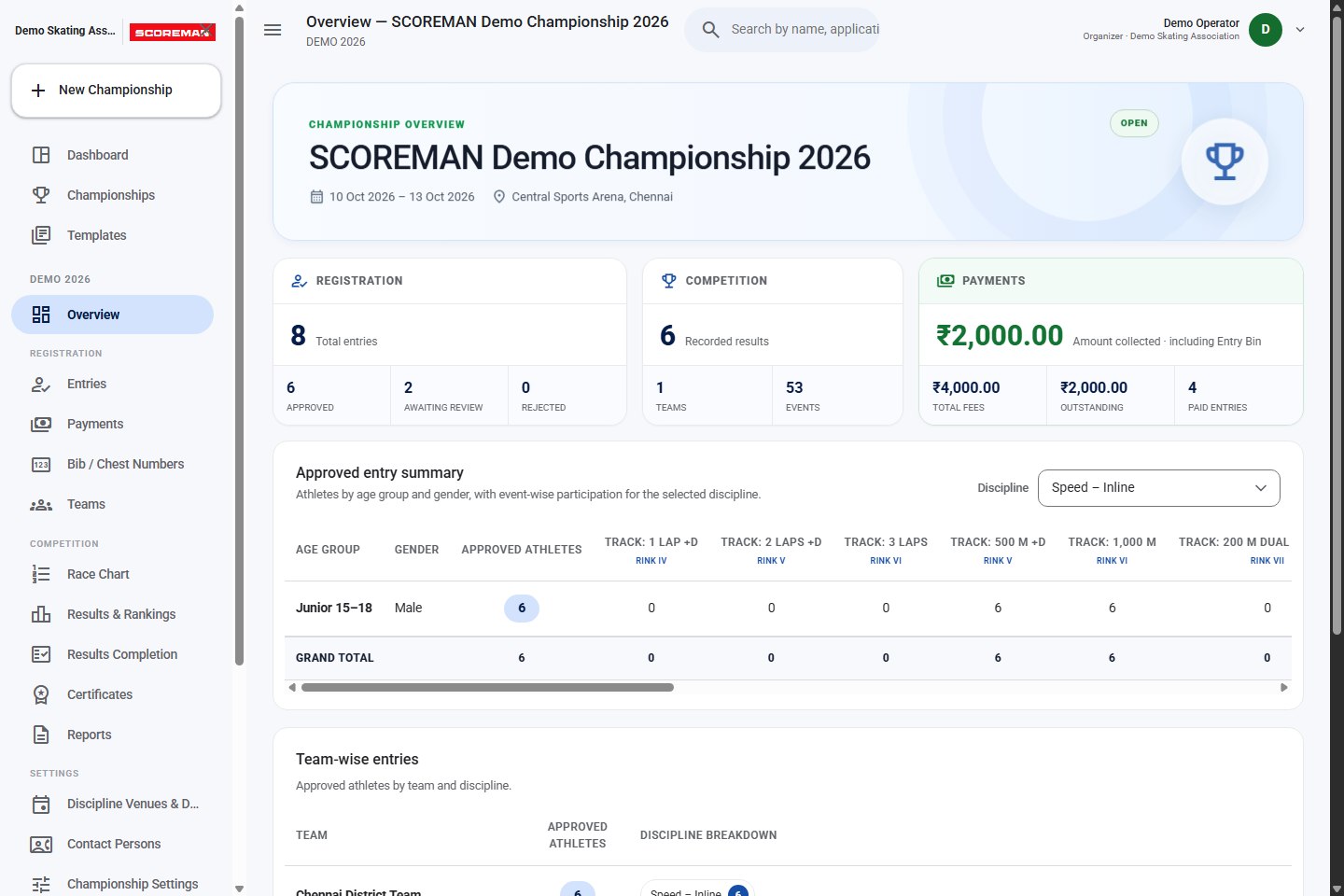
Bring athlete entries, payments, heats, results and certificates into one shared championship workspace.
For organisers, teams, athletes and spectators.
 View full screen
Inside SCOREMAN
Explore the screens your team uses to organise entries, run races and share results. These captures use sample championship data in the current application.
 Enlarge
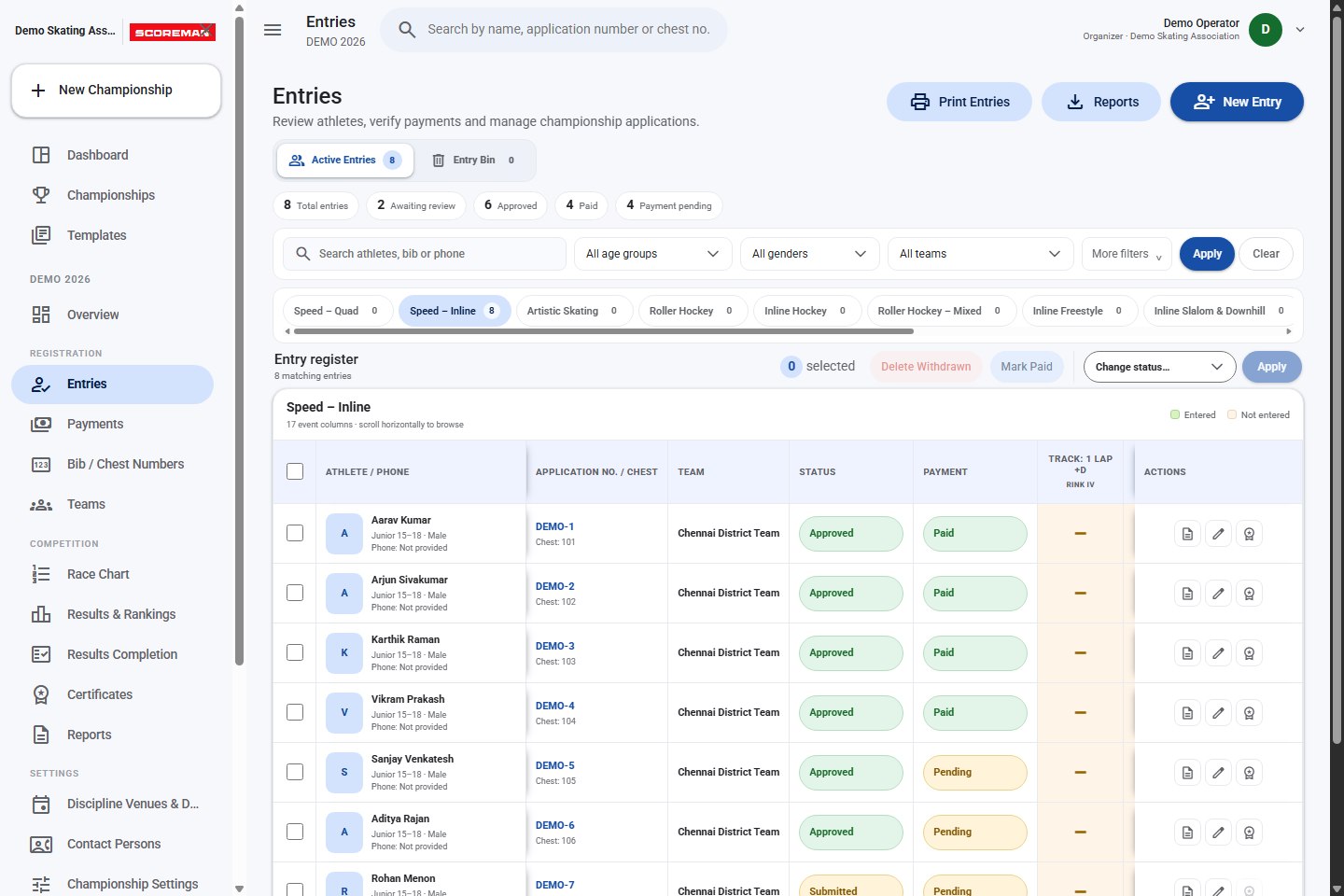
Filter entries, review athletes and see approval and payment status together. Open an application when you need its details.
 Enlarge
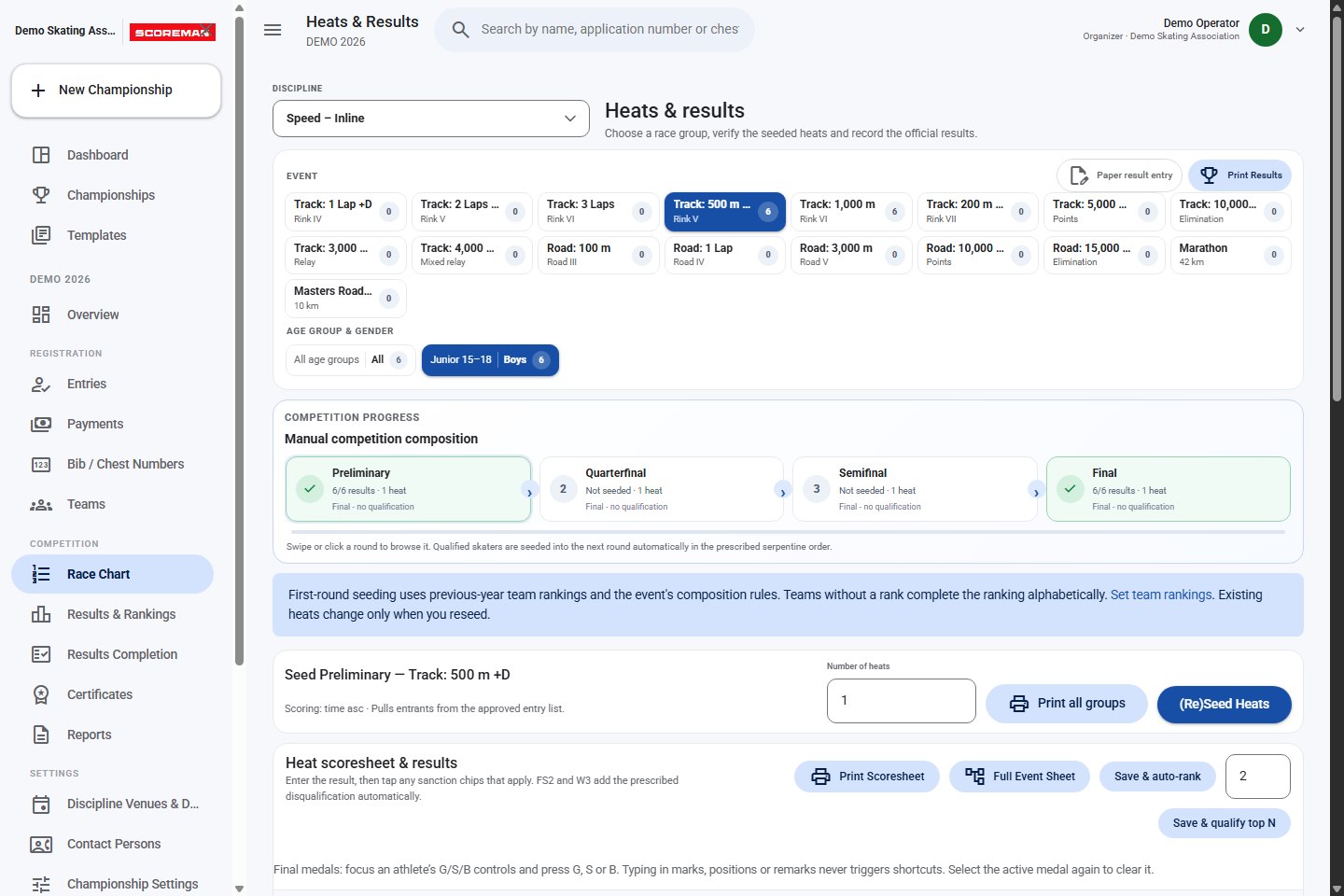
Choose an event and race group, seed heats, enter scores and progress qualifiers. Printable scoresheets and optional paper result entry support the competition desk.
 Enlarge
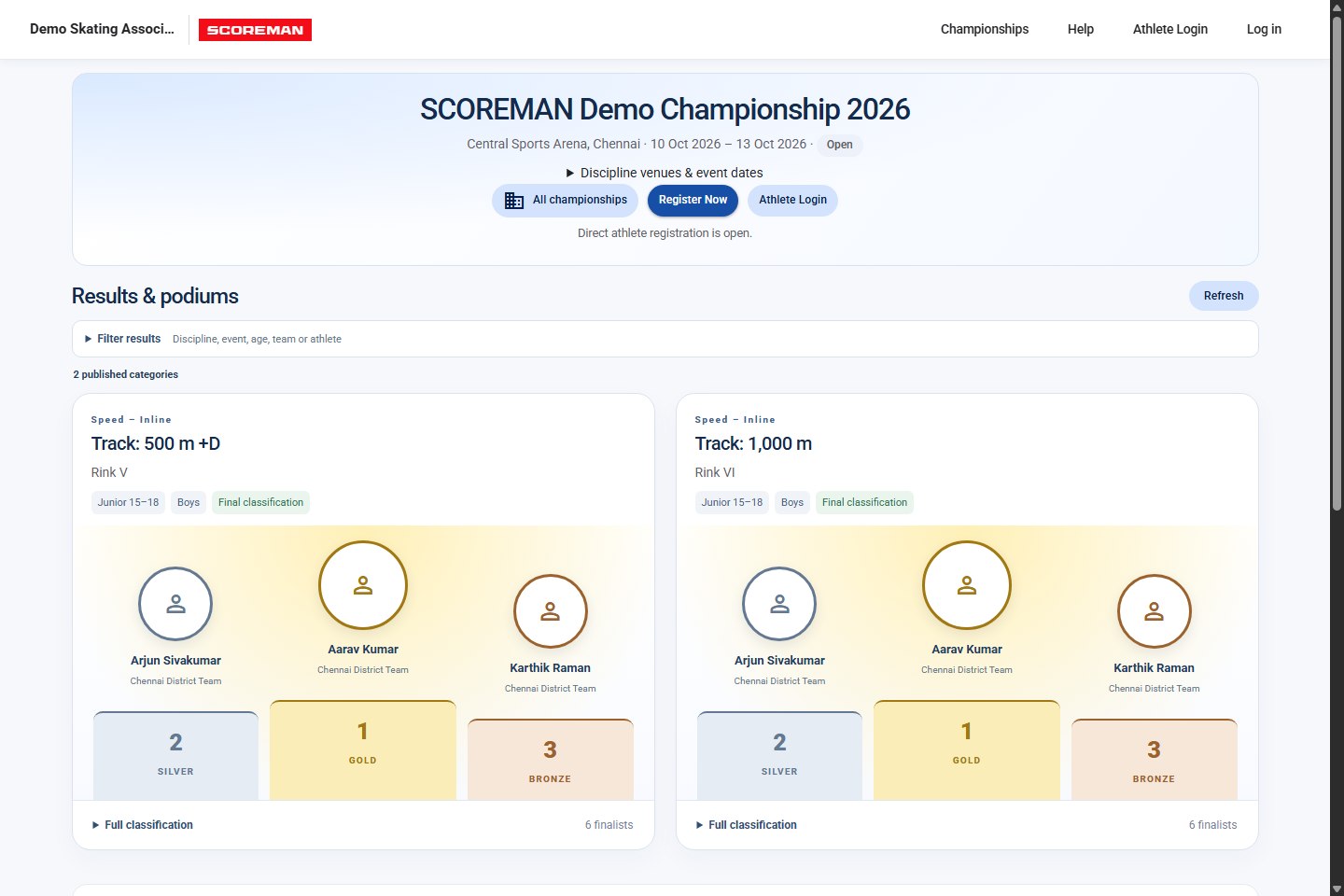
Share championship details, announcements and published results. Spectators can filter results and open the full classification for a race.
 Enlarge
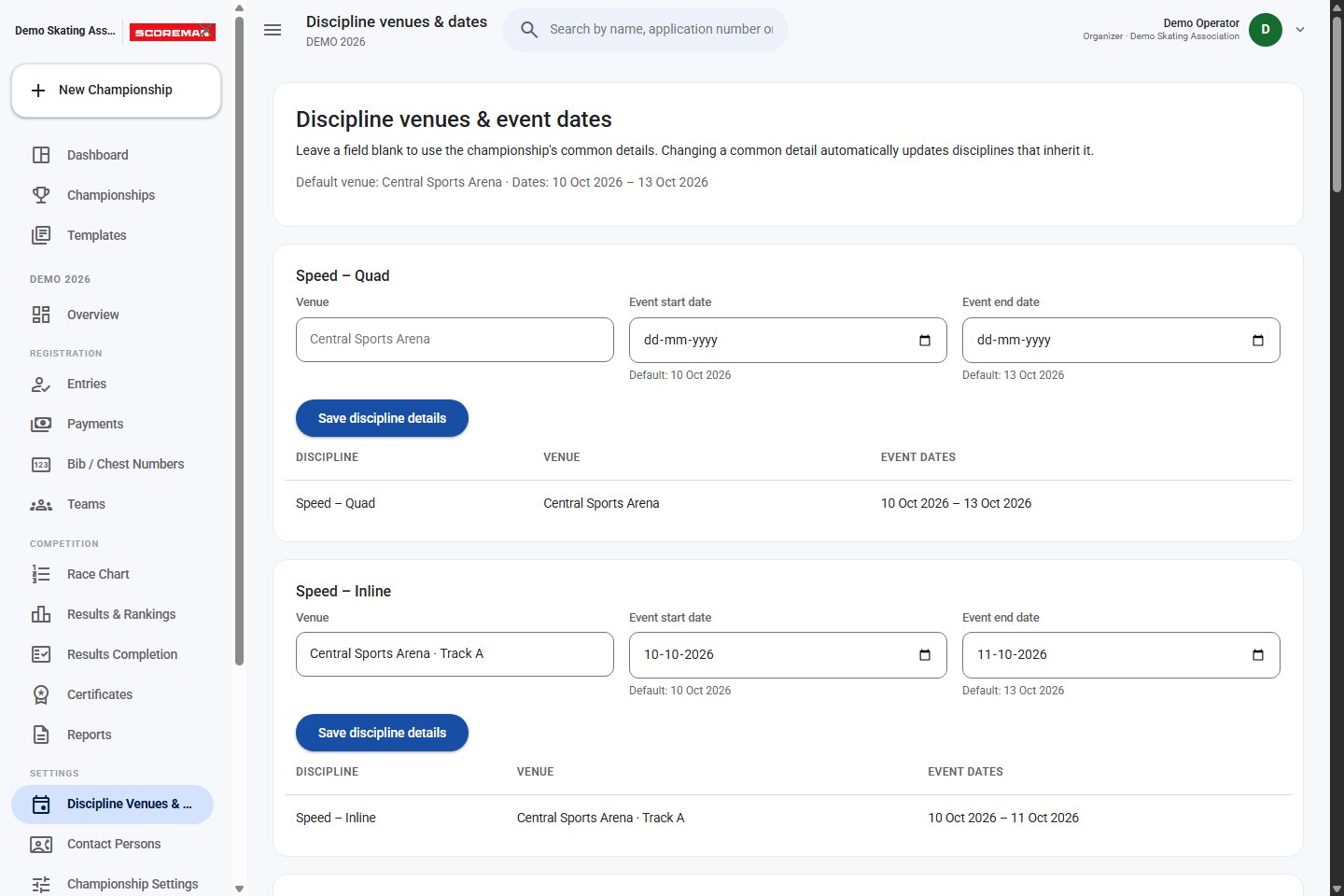
Set a common venue and date range, then give individual disciplines their own schedule. Blank fields continue to use the championship defaults.
Captured from SCOREMAN v1.40.0 · September 2026 · Sample names and championship data
Built around championship work
Configure the championship once, then give each person the information and access needed for their part of the event.
Set disciplines, age groups, eligible events and selection limits. Accept public athlete entries or use a team-managed registration workflow.
Configure discipline fees and additional event charges. Track payments through Razorpay, CCAvenue or your championship’s offline payment process.
Give administrators view or edit access to selected disciplines. Their scope also applies to race charts, results, reports and certificates.
Use supported RSFI API and form imports for registration. Alpine and Downhill events can share one configured discipline and application.
Keep common championship details as the default, with separate venues and dates where a discipline needs them.
Produce application PDFs, bibs, start lists and result reports. Generate participation and medal certificates from eligible entries and results.
How it works
Choose a template or configure your disciplines, age groups, events, fees and dates.
Share registration access. Review applications, verify details and track payments.
Prepare heats and start lists, record results and move athletes through the configured rounds.
Share results, review team points and issue the championship’s reports and certificates.
Organisers manage the championship. Team users handle their athletes. Athletes access their applications. Spectators follow the public championship page.
A few useful answers
Looking for your championship?
The live portal is the place to begin.
Yes. Open the live SCOREMAN application to browse published championships. Organisers and team users can sign in through the application.
Find the championship in the portal and follow its registration option. Some championships accept direct athlete entries; others require registration through a team. Available events depend on the championship’s configured eligibility rules.
SCOREMAN supports configured Razorpay and CCAvenue checkout, as well as offline payment instructions and tracking. The organiser selects the method and fees for the championship.
Organisers control public result visibility. Published categories and classifications appear on the championship’s public page, where visitors can use the available filters.
No. Administrators can be limited to assigned disciplines, with separate view and edit access. These restrictions extend to the relevant entry, competition and certificate workflows.
No installation is needed to use the web application. Open SCOREMAN in a browser and follow the championship’s registration or athlete login link.
Your championship, together
Find a championship, open your application or sign in to your workspace.